2-2-3
Two days with one parent, two with the other, then a three-day weekend. The next week flips, so the weekend alternates.
| Mo | Tu | We | Th | Fr | Sa | Su | |
|---|---|---|---|---|---|---|---|
| Wk 1 | A | A | B | B | A | A | A |
| Wk 2 | B | B | A | A | B | B | B |
Two weeks: Parent A 7 days, Parent B 7 days (an even split).
Custody calendar maker
Lay out your parenting-time schedule so everyone knows which parent has each day. Change single days for holidays, swaps and school breaks, then print a color-coded calendar or add it to your calendar app.
Clarity puts the schedule you’ve agreed on into a calendar. It doesn’t replace your parenting plan or court order.
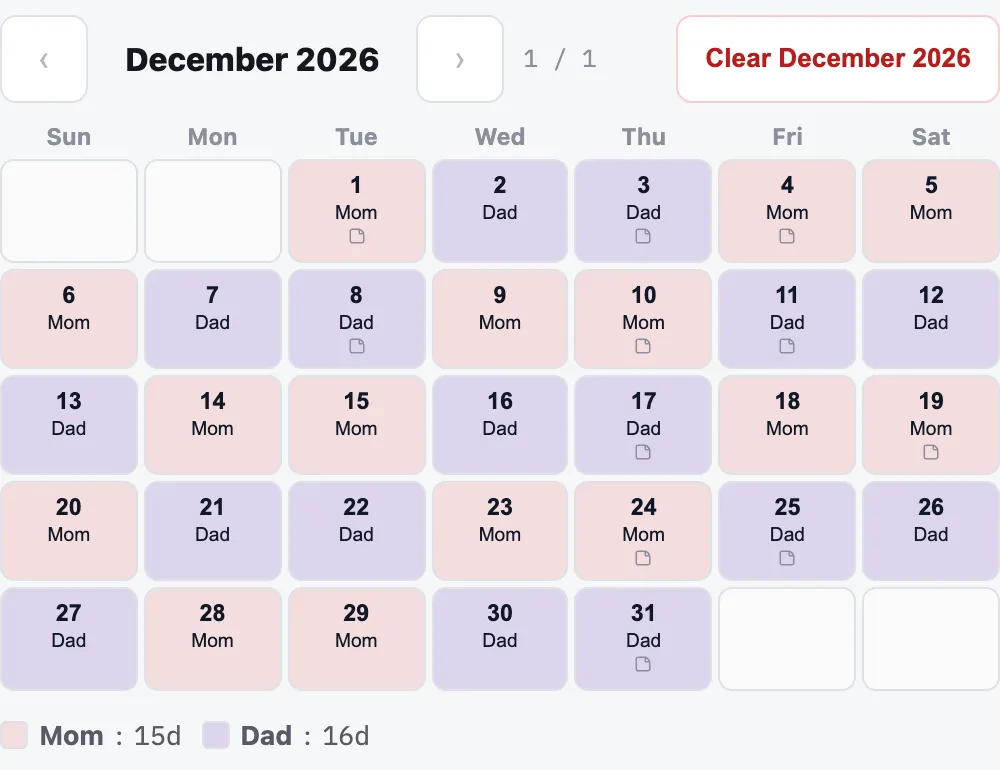
Start from a common pattern and pick which parent starts and on what date, or click days to assign them yourself.
Click any day to change it for a swap or a schedule change, and add notes such as “Exchange at school, 3pm”. You can also mark days as a holiday, school break or vacation, separately from which parent has them, to see how those days are split.
Clarity counts the days assigned to each parent, so you can compare the calendar with the arrangement you agreed on.
Download a color-coded PDF, a day-by-day PDF with your notes, or a calendar file for Google Calendar, Apple Calendar or Outlook.
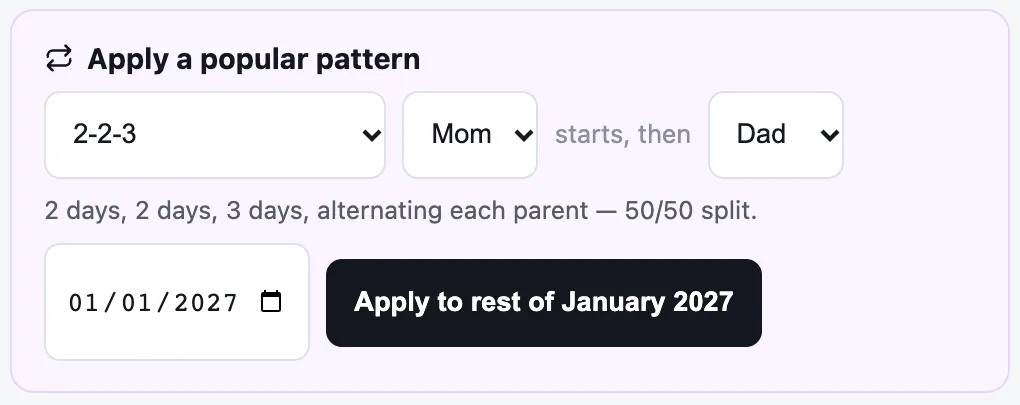
Every family’s arrangement is different, so follow the schedule in your agreement or court order. These five patterns are built into Clarity. Each diagram shows two weeks exactly as Clarity lays them out, starting on a Monday with Parent A. In the app you choose the start date and which parent goes first.
Two days with one parent, two with the other, then a three-day weekend. The next week flips, so the weekend alternates.
| Mo | Tu | We | Th | Fr | Sa | Su | |
|---|---|---|---|---|---|---|---|
| Wk 1 | A | A | B | B | A | A | A |
| Wk 2 | B | B | A | A | B | B | B |
Two weeks: Parent A 7 days, Parent B 7 days (an even split).
Each parent keeps the same two weekdays every week, and the long stretch that includes the weekend alternates.
| Mo | Tu | We | Th | Fr | Sa | Su | |
|---|---|---|---|---|---|---|---|
| Wk 1 | A | A | B | B | A | A | A |
| Wk 2 | A | A | B | B | B | B | B |
Two weeks: Parent A 7 days, Parent B 7 days (an even split).
Three days with one parent and four with the other, then the reverse the following week.
| Mo | Tu | We | Th | Fr | Sa | Su | |
|---|---|---|---|---|---|---|---|
| Wk 1 | A | A | A | B | B | B | B |
| Wk 2 | A | A | A | A | B | B | B |
Two weeks: Parent A 7 days, Parent B 7 days (an even split).
A full week with each parent, alternating. Fewer exchanges, longer stretches apart.
| Mo | Tu | We | Th | Fr | Sa | Su | |
|---|---|---|---|---|---|---|---|
| Wk 1 | A | A | A | A | A | A | A |
| Wk 2 | B | B | B | B | B | B | B |
Two weeks: Parent A 7 days, Parent B 7 days (an even split).
One parent has Friday to Sunday every other weekend; the other parent has the remaining days.
| Mo | Tu | We | Th | Fr | Sa | Su | |
|---|---|---|---|---|---|---|---|
| Wk 1 | A | A | A | A | B | B | B |
| Wk 2 | A | A | A | A | A | A | A |
Two weeks: Parent A 11 days, Parent B 3 days.
Click days to assign them yourself, change any day after applying a pattern, or continue last month’s pattern into the next. A day can carry more than one label, for exchange days.
When each parent has a color, anyone can read the schedule quickly: on the fridge, at school pickup, or on the phone with the other parent. Kids can see where they’ll be next week without asking.
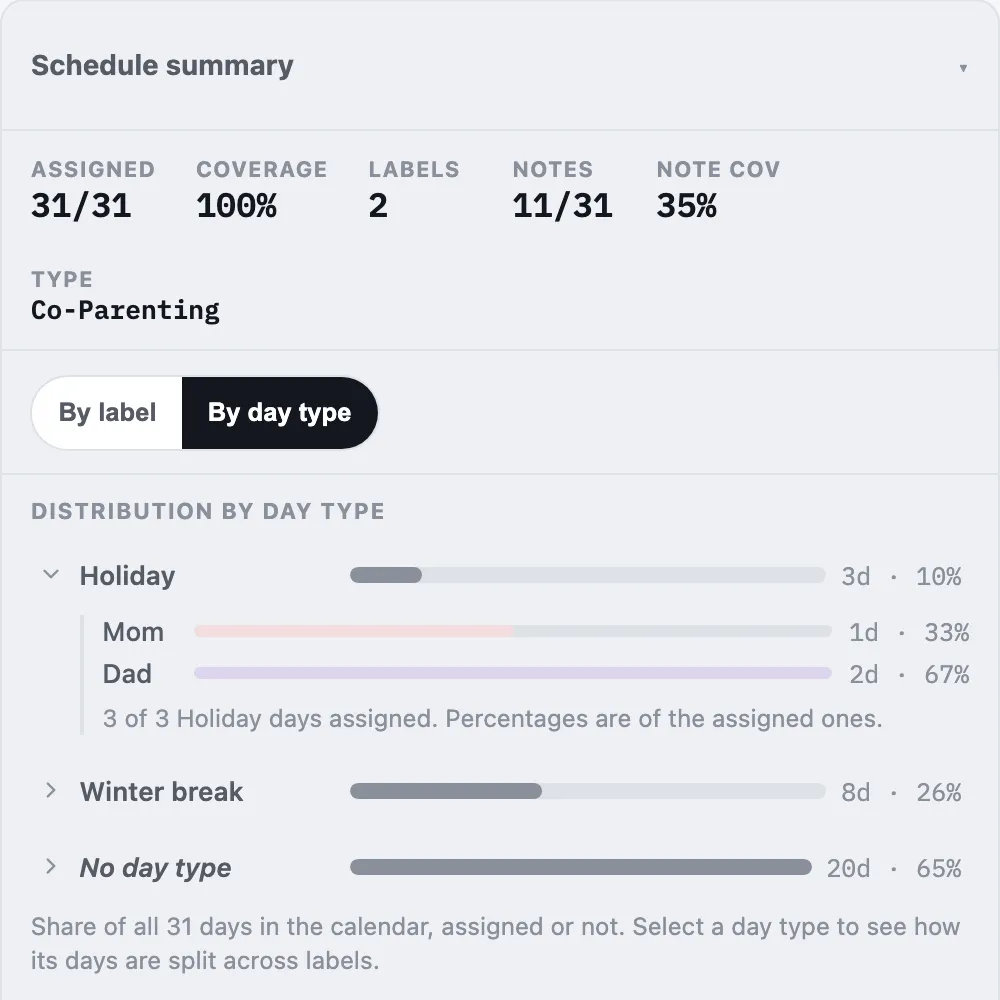
Clarity’s schedule summary shows how many days each parent has in the calendar and says so when one parent has noticeably more. If you mark days as holidays or school breaks, it also shows how those days are split between the parents. It counts calendar days, not overnights, and it’s a quick check before you print or share.
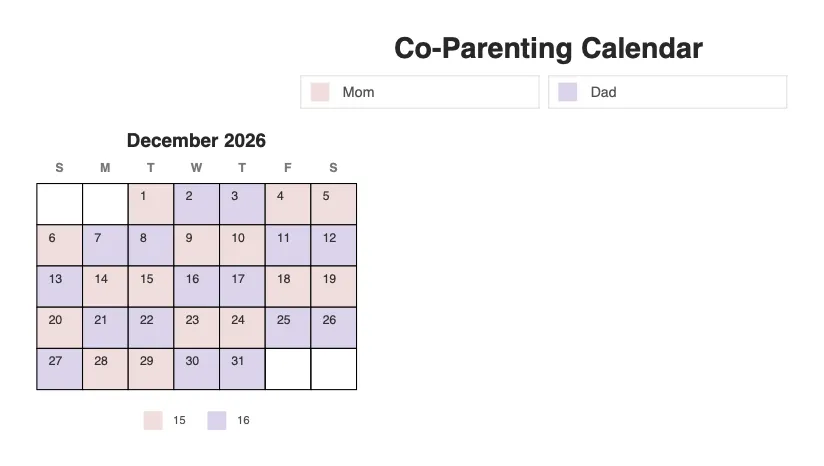
The whole schedule in color, month by month. Good for the fridge or a backpack.
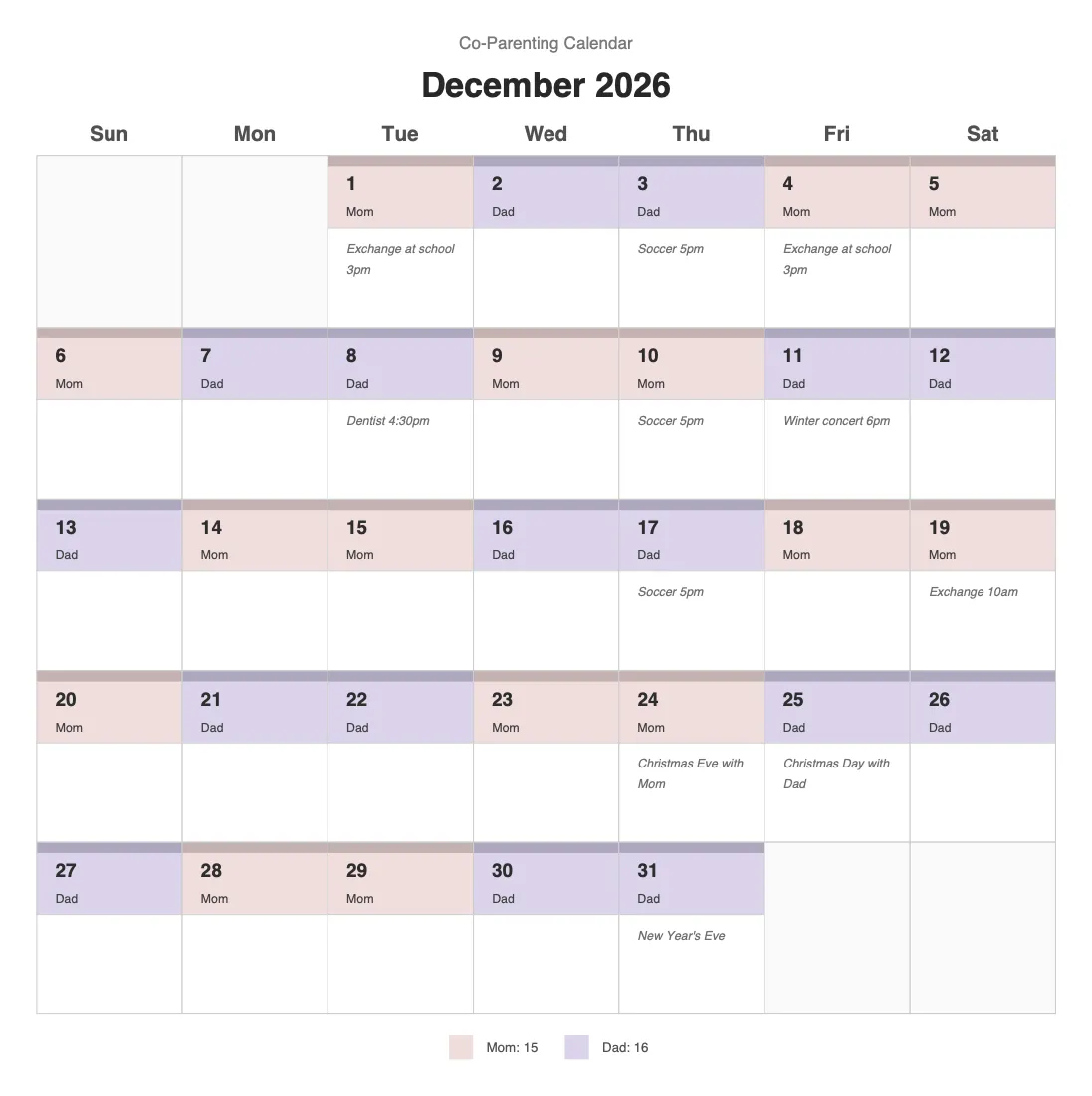
Day by day, with your notes, so exchange times and holiday plans are written down in one place.
Imports into Google Calendar, Apple Calendar and Outlook as all-day events. When the schedule changes, upload your backup, export again, and your calendar app updates instead of duplicating.
A CSV of your schedule is always free and never uses an export.
There’s no account to create. While you work, your schedule stays in your browser. To make a PDF or calendar file it’s sent to Clarity’s server, used to build the file, and then discarded. It isn’t stored on our servers. You can erase it from your browser at any time.
Building and previewing your calendar is free. An export is used only when you download a PDF or calendar file.
10 exports. Build your calendar and download PDFs or calendar files.
20 exports. Adds times, reminders, shared events and a calendar file for each parent.
200 exports a month, shared across an office. For mediators and family-law practices.
Lite and Plus are paid once and their exports never expire. Professional renews monthly until you cancel. Compare plans
No. Clarity builds and exports a schedule. It doesn’t include messaging, expense tracking, or a live calendar that updates on both parents’ phones. Many families use Clarity’s PDFs and calendar files alongside whatever they already use to talk to each other.
Any schedule. Five common patterns are built in (2-2-3, 2-2-5-5, 3-4-4-3, week on / week off and every other weekend), starting with either parent on the date you choose. You can also click days to assign them by hand, change single days for holidays and swaps, add notes, and cover up to 12 months in one calendar.
Yes. Clarity makes two PDFs: a color-coded overview, month by month, and a detailed day-by-day calendar that includes your notes. If you’ve marked day types such as holidays or school breaks, the overview also shows how those days are split between the parents.
Yes. The calendar file (.ics) imports as all-day events, one per parent per day. Keep the backup Clarity offers after the download: when the schedule changes, upload it, make your changes and export again, and your calendar app updates the same calendar instead of adding a second copy. The file is a copy you import, not a live connection, so it changes only when you import a new one. Each new PDF or calendar file you download uses one export.
It counts the calendar days assigned to each parent so you can compare them with your arrangement. It doesn’t count overnights, calculate child support, or tell you what your agreement requires.
Yes. Mark days as holidays, school breaks or any other day type you name, separately from which parent has them. The schedule summary shows how many days each day type has and how they’re split between the parents, and the overview PDF includes the same breakdown. Clarity counts calendar days, not overnights.
Clarity is a scheduling tool. It doesn’t provide legal advice or legal documents, and it isn’t affiliated with any court. Your parenting plan or court order is what governs your schedule, and you’re responsible for checking that the calendar matches it. If you’re working with an attorney or mediator, ask how they’d like a calendar presented.
The demo is free and needs no account or payment. You can build and preview a full calendar with every tool. Its PDFs and standard calendar file use sample data, and a customized calendar file covers only your first 31 days. The CSV download is your own schedule. The demo doesn’t save your work.
In your browser. With a plan, Clarity autosaves your work in this browser only. To make a PDF or calendar file, your schedule is sent to Clarity’s server, used to build the file, and then discarded. It isn’t stored on our servers. You can erase it from your browser at any time from the Export step.
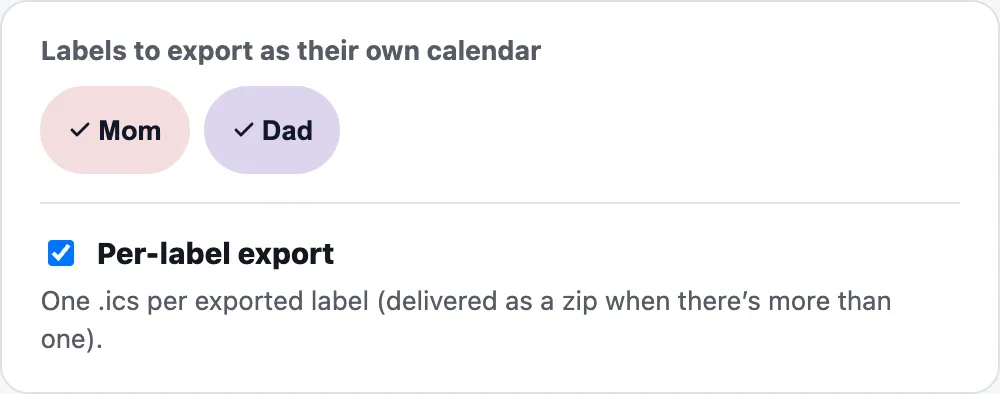
Yes, with Plus or Professional. Choose a calendar file for each parent, and each one imports only their own days.
Try the full builder with your own schedule. No account or payment needed.
Custody arrangements vary by family and jurisdiction. Clarity is a scheduling tool, not legal advice, and isn’t affiliated with any court. Follow the terms of your agreement or order.